Publishing a Package to Packagist
Every composer require you have typed has relied on a service you never had to name: Packagist, the public registry Composer checks by default. It is why composer require nunomaduro/termwind in Chapter 7 needed no URL and no server. Packagist already knew where that package lived. Putting your own package there is easier than it sounds, and the mechanism is worth understanding, because it explains what “publishing a PHP package” really means.
What a publishable composer.json needs
Four things, at minimum:
{
    "name": "yourname/phpgrep",
    "description": "A small line-searching CLI tool, built as a learning project.",
    "license": "MIT",
    "require": {
        "php": ">=8.1"
    },
    "autoload": {
        "psr-4": {
            "PhpGrep\\": "src/"
        }
    }
}
"name" has a fixed shape, vendor/package, all lowercase, words separated by hyphens. The vendor part is usually your GitHub username or organization, not a formal company name; plenty of published packages belong to one person. "description" and "license" are what visitors read on your Packagist page. The license matters for a practical reason: without one, nobody knows under which terms they may legally use your code, and that kind of doubt quietly scares off users. "MIT" is the common permissive choice when you have no reason to pick another.
You don’t upload anything
This is the part that surprises people coming from ecosystems with a publish command. Packagist does not host your code. It hosts information about your code, and reads the source straight from your Git repository, GitHub included.
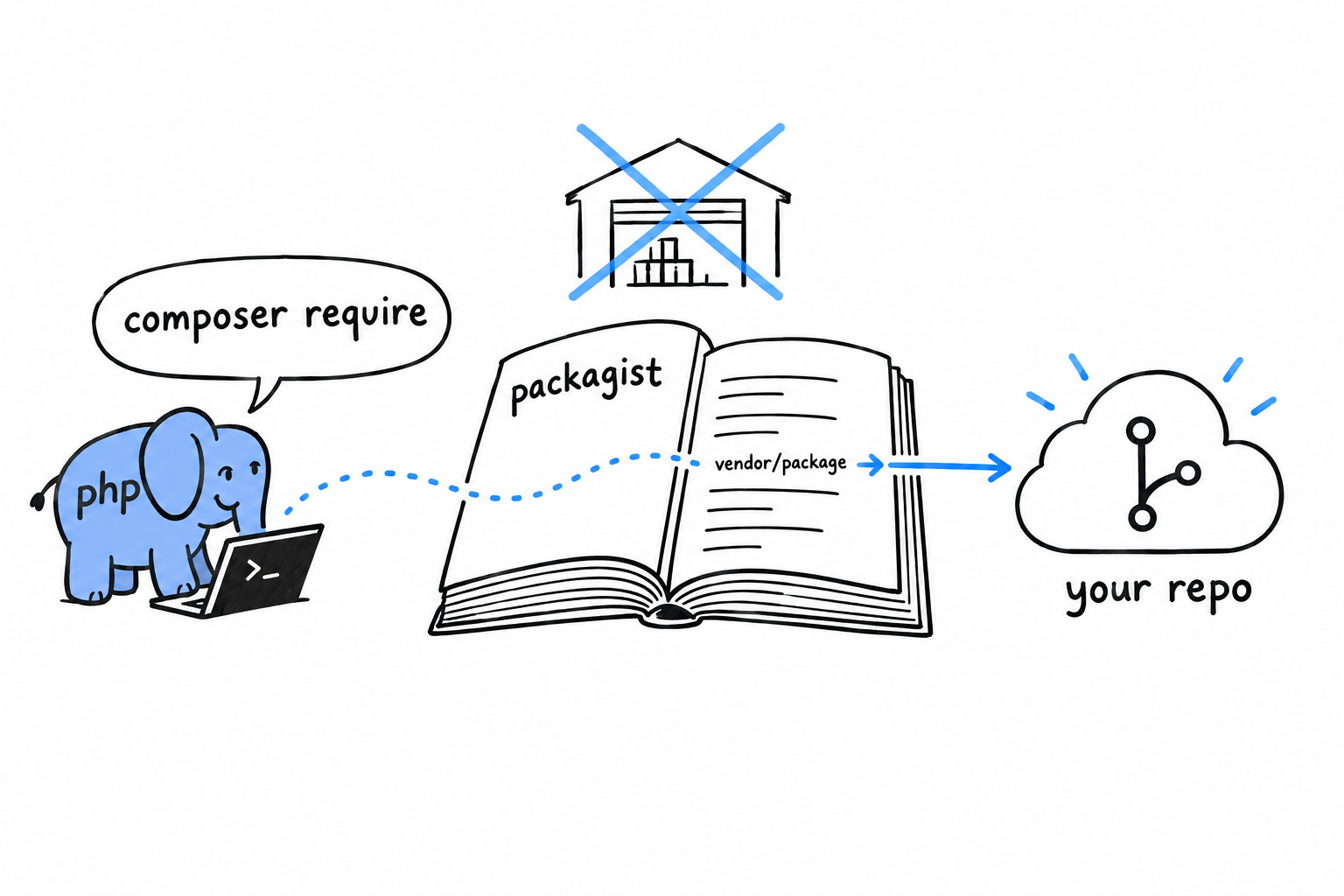
Publishing is three moves. Push a composer.json like the one above to a public Git repository. Sign in on packagist.org, click “Submit”, and paste your repository’s URL. Packagist then reads your composer.json, indexes the package under the "name" you gave it and, this is the important part, sets up a webhook so it hears about every push you make from then on.
No release step, no build artifact to hand over. Packagist watches your repository.
Packagist is a phone book, not a warehouse. It knows where your code lives and sends Composer there.
Versions come from Git tags
If Packagist reads your repository, where does a version like 1.2.0 come from? From an ordinary Git tag, named after semantic versioning: MAJOR.MINOR.PATCH.
$ git tag v1.0.0
$ git push origin v1.0.0
Push the tag, the webhook fires, and 1.0.0 appears as an installable version within moments. The tag is the release. There is nothing else to do.
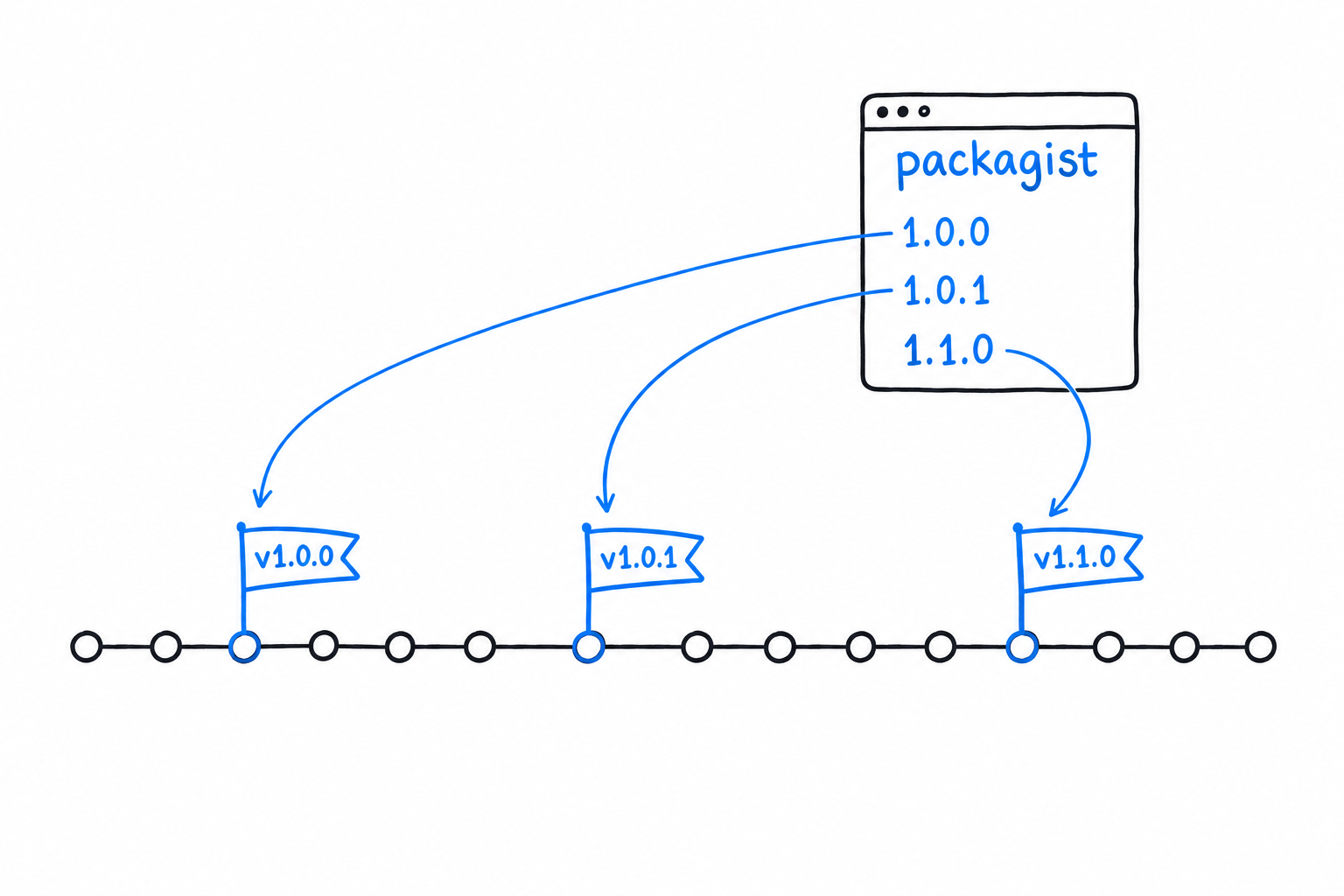
The three numbers carry a promise. Bump the patch for a fix that breaks nothing, the minor for a new feature that breaks nothing, and the major the moment you break something a user might rely on. That last rule is the one that matters to whoever depends on you: it is what lets them write ^1.0 in their own composer.json and trust that anything matching it will not break their code.