Print Debugging with var_dump() and print_r()
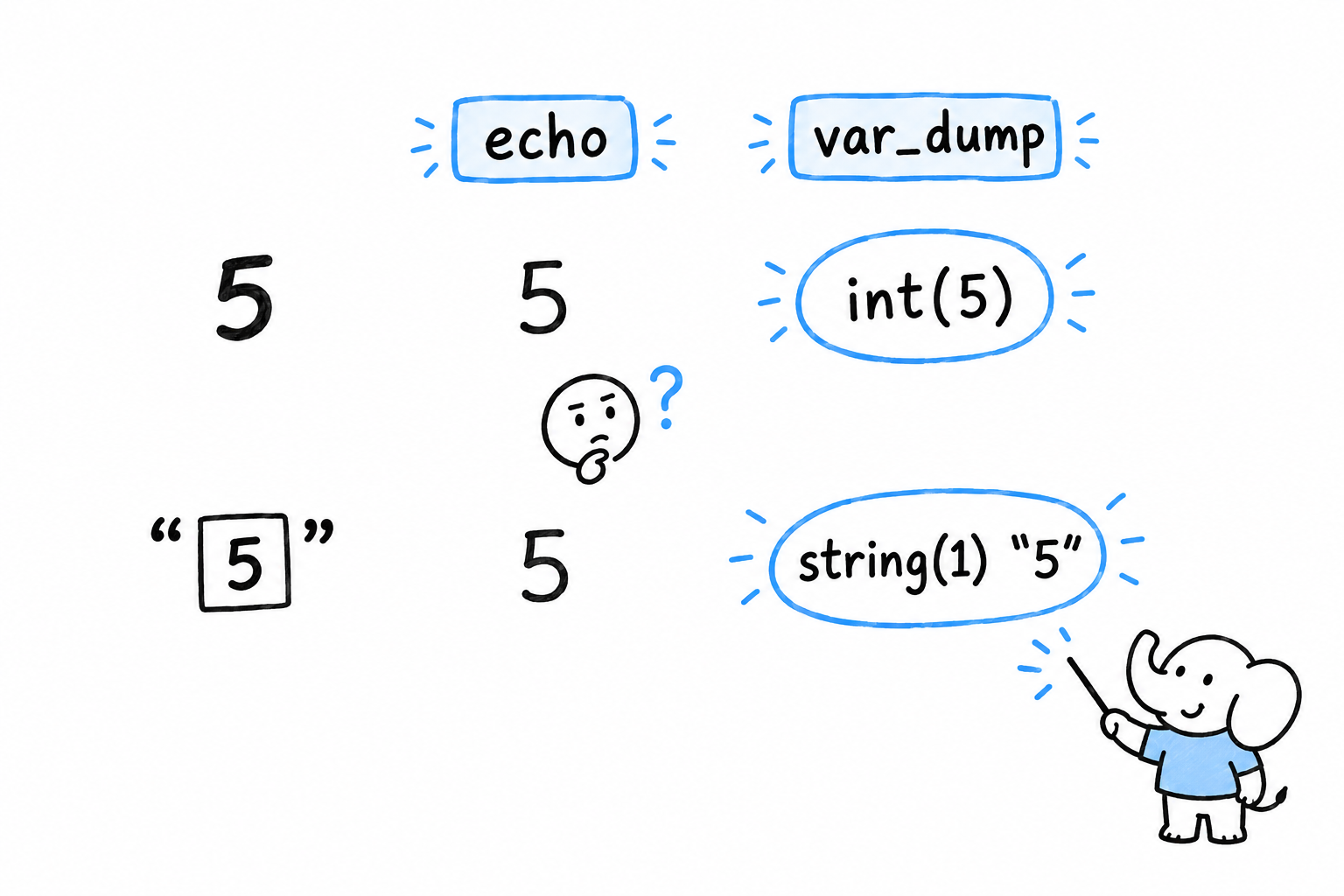
echo $count prints 5. Is $count the number five, or the text "5"? echo will never tell you, and that difference is often the entire bug.
You met var_dump() briefly in Chapter 3: it shows a value’s type along with the value itself. var_dump($count) prints int(5) or string(1) "5", and now you know. That is what turns it from an inspection tool into a debugging tool: a bug is very often a value with the wrong type, not the wrong contents.
var_dump() on structured data
var_dump() is not limited to a single value. Hand it an array or an object and it walks through the whole thing, showing you its shape:
<?php

$user = [
    'name' => 'Alice',
    'age' => '32',
    'active' => true,
    'roles' => ['admin', 'editor'],
];

var_dump($user);
array(4) {
  ["name"]=>
  string(5) "Alice"
  ["age"]=>
  string(2) "32"
  ["active"]=>
  bool(true)
  ["roles"]=>
  array(2) {
    [0]=>
    string(5) "admin"
    [1]=>
    string(6) "editor"
  }
}
Look at "age": it came back as string(2) "32", not int(32). If this array came from a form (the kind of data Chapter 10 reads out of $_POST), that is expected, because everything in $_POST arrives as text. Code further down that assumes $user['age'] is already an integer is a bug waiting to happen. var_dump() catches in seconds what a quiet wrong answer three functions later would take an hour to trace back.
Try it: change '32' to 32 in the array and run the script again. The "age" line becomes int(32).
var_dump($name, $age, $roles) dumps all three in turn, shorter than three separate calls.
print_r(): easier to read, less precise
print_r() shows the same structure without the types, in a format that is much easier to scan when the array is large:
<?php

print_r($user);
Array
(
    [name] => Alice
    [age] => 32
    [active] => 1
    [roles] => Array
        (
            [0] => admin
            [1] => editor
        )

)
Notice what got lost. true became 1, and nothing says whether 32 is a number or text. That is the trade: reach for print_r() to see the shape of something quickly, and for var_dump() the moment a value’s exact type is in question, which it usually is once you are hunting a bug.
print_r() has one more trick. Pass true as a second argument and it returns the formatted text instead of printing it, which lets you send a snapshot to a log rather than to the screen:
<?php

$snapshot = print_r($user, true);
error_log("user state: {$snapshot}");
A third function, var_export(), sits between the two. It shows roughly what print_r() shows, but formats it as valid PHP source: var_export($user) prints something you could paste straight back into a script as an array literal. Handy for capturing a real value as a test fixture.
The limits of printing things
All three functions share the same weakness. You have to suspect where the problem is before you know where to put the call, and every time you want to look somewhere new, you edit the file and rerun the program. Point the flashlight, look, move it, look again.
For a script the size of anything in this book so far, that works. It stops working once a bug depends on the exact sequence of several function calls, or only shows up on the fifth turn of a loop, or lives inside a library you would rather not edit. At that point printing things stops being surgical and becomes trial and error. Xdebug is the tool for that moment: it lets you pause a running script and look around, instead of guessing in advance where to point the light.