Accepting Input with HTML Forms and Superglobals
PHP has no special syntax for “this script is a web page”. A web script is an ordinary script. What changes is where its input comes from: before your first line runs, PHP has already unpacked the request into a handful of arrays, and your code reads them like any other array. They are called superglobals because they are available in every scope, inside functions included, with no global keyword and no parameter. They are just there.
A plain HTML form
Start with the form itself. Create guestbook.php:
<!DOCTYPE html>
<html>
<head>
    <title>Guestbook</title>
    <style>
        body { font-family: sans-serif; max-width: 40em; margin: 2em auto; }
        textarea { width: 100%; }
    </style>
</head>
<body>
    <h1>Guestbook</h1>

    <form method="post">
        <p><label>Name: <input type="text" name="name"></label></p>
        <p><label>Message: <textarea name="message"></textarea></label></p>
        <p><button type="submit">Sign the guestbook</button></p>
    </form>
</body>
</html>
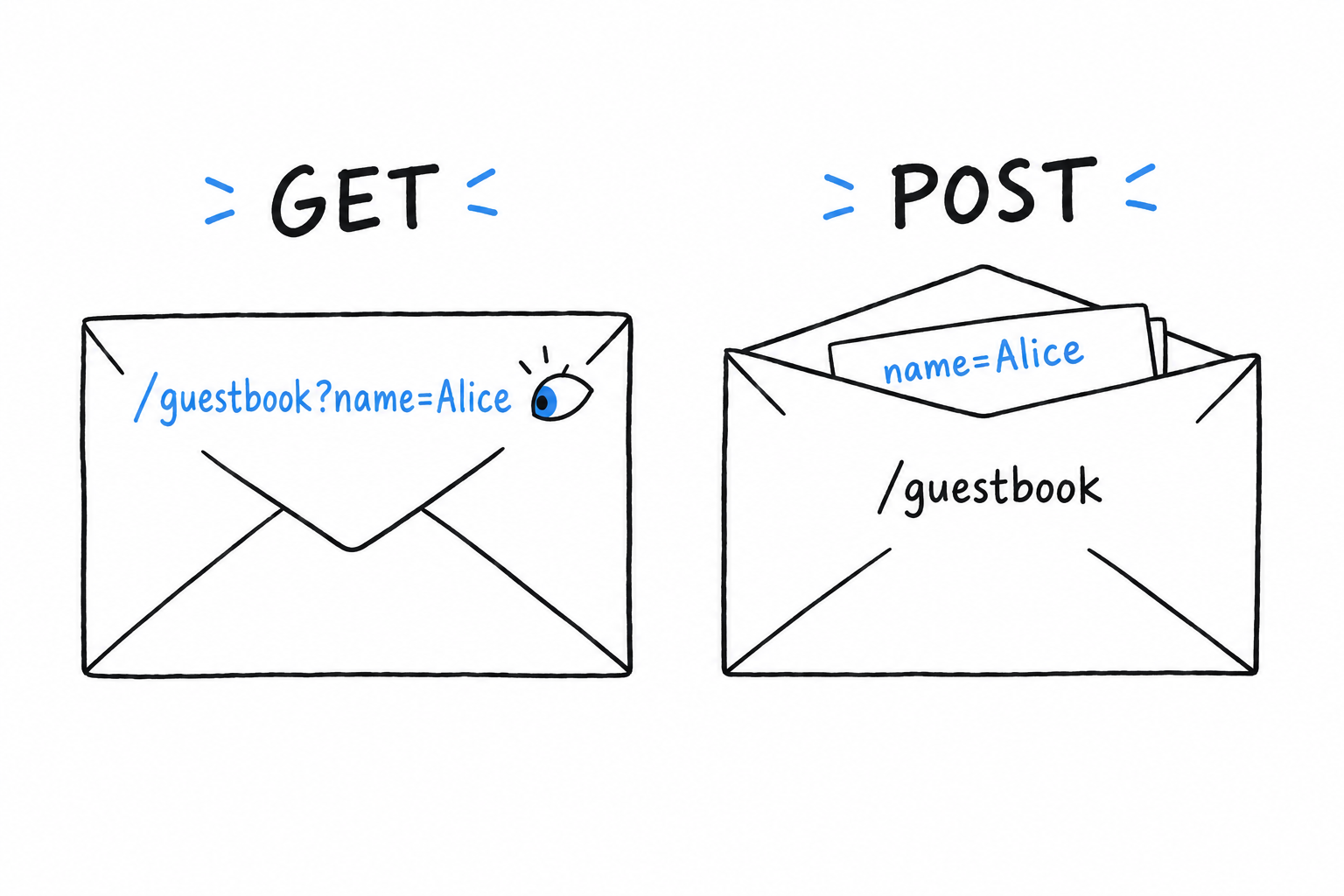
Nothing here is PHP yet. It is a <form> with method="post" and no action attribute, so submitting it sends a POST request back to this same URL. The other common choice is method="get", and the difference matters. A GET request writes its data in the URL (?name=Alice), visible in the address bar and in server logs: fine for a search box, wrong for anything private, and wrong for anything that changes data. A POST request carries its data in the body of the request, out of sight. A guestbook entry belongs there.
Serve it with PHP’s built-in development server:
$ php -S localhost:8000
Visit http://localhost:8000 and the form shows up. Fill it in, submit it, and nothing happens: the same page reloads, and what you typed is gone. Reading the submission is PHP’s job, and nobody has asked yet.
Superglobals: $_GET, $_POST, $_SERVER
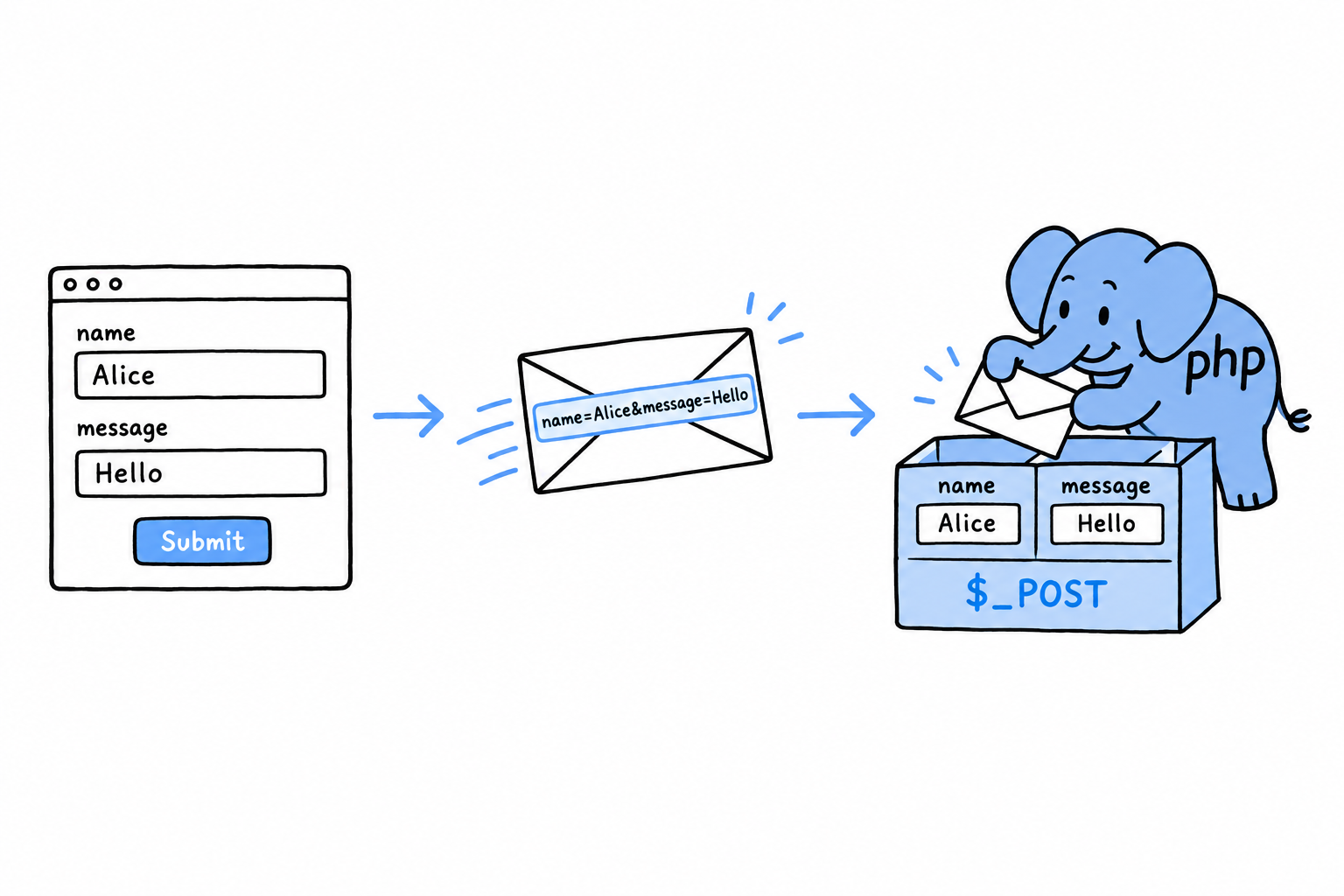
Three of them matter for a script like this one. $_POST holds the form fields sent in the body of a POST request, as an associative array, one key per field name. $_GET holds the parameters of the query string, the part of the URL after the ?; it is filled for any request, but by convention you read it on GET requests. $_SERVER describes the request and the server itself, and one entry does most of the work here: $_SERVER['REQUEST_METHOD'], which is 'GET' or 'POST', is how a single script can both show a blank form and process a submitted one.
There is also $_REQUEST, which merges $_GET, $_POST and cookie data into one array. It is convenient, and best left alone: with it, your script can no longer tell whether a value came from the URL or from the request body, and that distinction matters more than it seems once security enters the picture, in the next section.
Reading the submission
Add PHP at the top of guestbook.php, before the <!DOCTYPE html> line:
<?php

$name = '';
$message = '';
$submitted = false;

if ($_SERVER['REQUEST_METHOD'] === 'POST') {
    $name = $_POST['name'] ?? '';
    $message = $_POST['message'] ?? '';
    $submitted = true;
}
?>
The if is the script asking “was a form submitted, or is someone just looking?”. The null coalescing operator ?? (from Chapter 3) covers a field that is missing entirely: a request forged by hand should not produce an “undefined array key” warning. Further down the file, show the submission when there is one:
<body>
    <h1>Guestbook</h1>

    <?php if ($submitted) { ?>
        <p>Thanks, <?= $name ?>. You wrote: <?= $message ?></p>
    <?php } ?>

    <form method="post">
<?= $name ?> is a short form of <?php echo $name ?>, made for exactly this: dropping one value into the middle of HTML. Reload, fill in the form, submit. The page greets you with exactly what you typed. To see the request itself, without a browser, try curl:
$ curl -X POST -d "name=Alice&message=Hello there" http://localhost:8000/
The response contains Thanks, Alice. You wrote: Hello there. Same greeting, built entirely from $_POST, and the browser turned out to be optional. Anything that can send an HTTP request can fill in your form.
A form is a request with data in it. PHP unpacks it into
$_POSTbefore your code starts.
The problem you can already see coming
That <?= ?> prints $name and $message straight into the page, unfiltered. Try it: submit <b>bold</b> as your name. The page shows your name in bold, not with literal angle brackets. The guestbook currently runs any HTML a visitor types, not just yours. The next section closes that hole, before anything gets stored anywhere permanent.