An Example Program Using Classes
The best way to see why a class earns its place is to write the same small problem twice, once with a loose array and once with a class, and watch where the first version breaks.
The problem, with loose arrays
You are building the start of a shop. Each product has a name, a price, and a quantity in the cart, and you need a line total. The array version looks perfectly reasonable:
<?php
declare(strict_types=1);

function lineTotal(array $product): float
{
    return $product['price'] * $product['quantity'];
}

$item = [
    'name' => 'Coffee mug',
    'price' => 8.50,
    'quantity' => 3,
];

echo lineTotal($item); // 25.5
It works, right up until it doesn’t. Nothing stops a typo:
<?php

$item = [
    'name' => 'Coffee mug',
    'prise' => 8.50, // typo, silently different key
    'quantity' => 3,
];

echo lineTotal($item); // Warning: Undefined array key "price"
The warning fires deep inside lineTotal(), far from where the mistake was made. Nothing in $item said which keys it was supposed to have, and nothing checked that price was a number until the moment it was multiplied. Let the shop grow (discounts, tax rates, stock levels) and every function that touches a product array must independently agree on the same magic string keys. Each one is a typo away from failing at runtime, nowhere near the actual bug.
The same problem, with a class
<?php
declare(strict_types=1);

class Product
{
    public string $name;
    public float $price;
    public int $quantity;

    public function __construct(string $name, float $price, int $quantity)
    {
        $this->name = $name;
        $this->price = $price;
        $this->quantity = $quantity;
    }

    public function totalPrice(): float
    {
        return $this->price * $this->quantity;
    }
}
Product names its shape once, in one place. There is nothing left to misspell: new Product(...) demands exactly a name, a price, and a quantity, in that order, each with a declared type. Get a type wrong and, with strict_types on, PHP stops you on the spot rather than letting a string quietly stand in for a price:
<?php

$mug = new Product('Coffee mug', 8.50, 3);

echo $mug->totalPrice(); // 25.5
Try it: pass '3', in quotes, as the quantity, in a file with strict_types on. PHP refuses with a TypeError before the object even exists.
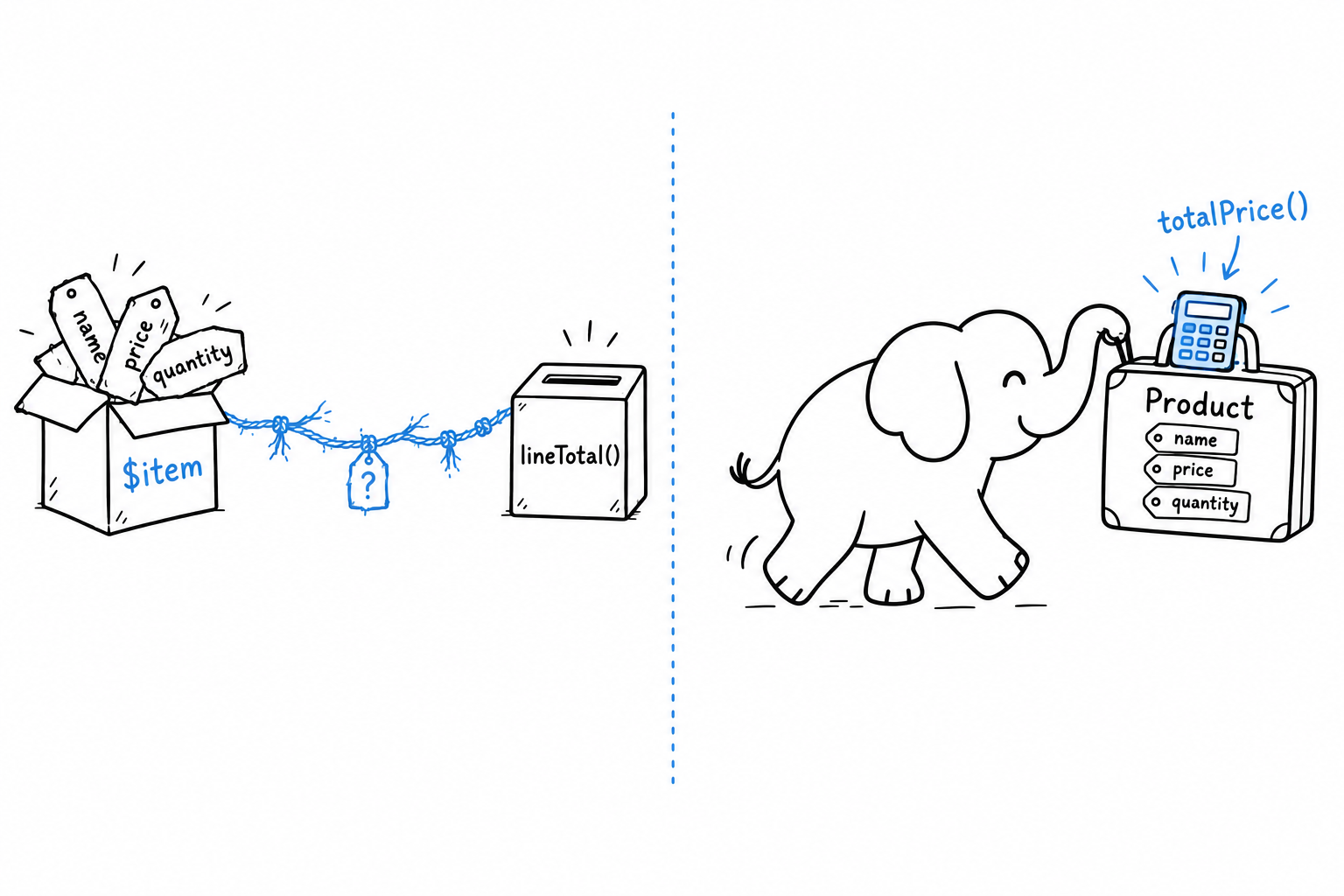
totalPrice() lives on Product now, not in a free-floating function that has to be told the shape of its argument. Whoever holds a Product, anywhere in the codebase, can call $product->totalPrice() and get the right answer, because the logic travels with the data it works on.
Using it in a small program
A tiny cart, built from a handful of Product objects:
<?php
declare(strict_types=1);

$cart = [
    new Product('Coffee mug', 8.50, 3),
    new Product('Notebook', 4.25, 2),
    new Product('Pen', 1.10, 5),
];

$total = 0.0;

foreach ($cart as $product) {
    echo "{$product->name}: \${$product->totalPrice()}\n";
    $total += $product->totalPrice();
}

echo "Total: \${$total}\n";
$ php cart.php
Coffee mug: $25.5
Notebook: $8.5
Pen: $5.5
Total: $39.5
Look at $cart: it is still an ordinary array. Classes do not replace arrays. They replace what you would otherwise be forced to stuff into one. The array here does what arrays are good at, holding an ordered list of things, while each thing is a Product that knows its own shape and its own arithmetic.
Plain arrays for collections, classes for the things they collect. You will use this pairing for the rest of the book.