Defining and Instantiating Classes
A class is a blueprint. It says what data an object of that kind holds and, later on, what it can do. A blueprint builds nothing by itself. You ask PHP to build an object from it with new.
Defining a class
<?php
declare(strict_types=1);

class Rectangle
{
    public float $width;
    public float $height;
}
class Rectangle { ... } declares the blueprint. Inside it, public float $width; declares a typed property: a named slot every Rectangle will have, with a type PHP enforces each time something is assigned to it. It is the same type declaration you have been putting on function parameters since Chapter 3, applied to a piece of data that lives on an object rather than in a function call.
Instantiating a class
new builds an actual object from the blueprint. That object is called an instance:
<?php

$rect = new Rectangle();
$rect->width = 10.0;
$rect->height = 4.0;

echo $rect->width;  // 10
echo $rect->height; // 4
new Rectangle() hands you a real Rectangle, with its own $width and $height, and $rect holds it. The -> arrow reaches into an object to read or write one of its properties. It is the object equivalent of [] on an array, except that an object is much pickier about what you may put in it, as you will see shortly.
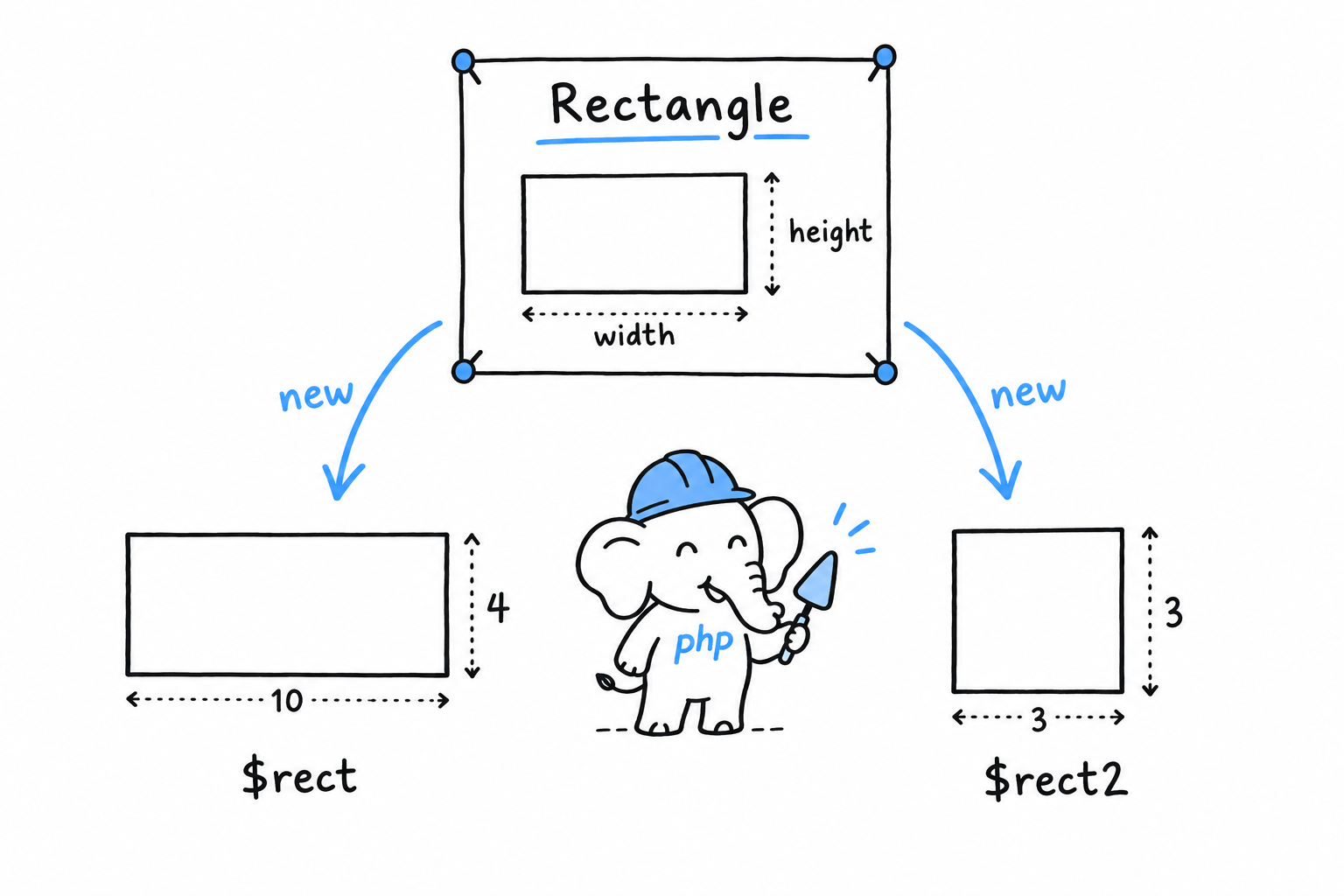
Build a second Rectangle, and you get a genuinely separate object with its own storage:
<?php

$rect2 = new Rectangle();
$rect2->width = 3.0;
$rect2->height = 3.0;

echo $rect->width;  // 10, untouched by $rect2
echo $rect2->width; // 3
Pause here, because Chapter 4 may have left you wary of objects sharing handles. $rect and $rect2 are not two names for one object. They come from two separate new calls, so they are two separate instances. The “objects alias, they don’t copy” rule is about assigning an existing object to another variable, $a = $b. Every new builds a fresh object.
One blueprint, as many objects as you ask for. Each
newis a new one.
Constructing with __construct
Setting each property by hand after new works, but it is easy to forget one, and for a moment a half-built Rectangle exists with properties still unset. PHP has a special method for this. __construct() runs automatically the moment an object is created, so the object is complete from its first breath:
<?php
declare(strict_types=1);

class Rectangle
{
    public float $width;
    public float $height;

    public function __construct(float $width, float $height)
    {
        $this->width = $width;
        $this->height = $height;
    }
}

$rect = new Rectangle(10.0, 4.0);

echo $rect->width;  // 10
echo $rect->height; // 4
Whatever you pass to new Rectangle(...) goes straight to __construct(). Inside it, $this is the object being built: $this->width = $width takes the incoming parameter and stores it in the object’s own $width slot. $this gets a closer look, along with a much shorter way to write this exact constructor, in Methods and Constructor Promotion.
Visibility: public, private, protected
Every property and method has a visibility, and so far everything has been public: reachable from anywhere, including code that has nothing to do with the class. That is often more than you want. Mark a property private, and only code inside the class can touch it:
<?php
declare(strict_types=1);

class Rectangle
{
    private float $width;
    private float $height;

    public function __construct(float $width, float $height)
    {
        $this->width = $width;
        $this->height = $height;
    }
}

$rect = new Rectangle(10.0, 4.0);
echo $rect->width; // Error: Cannot access private property Rectangle::$width
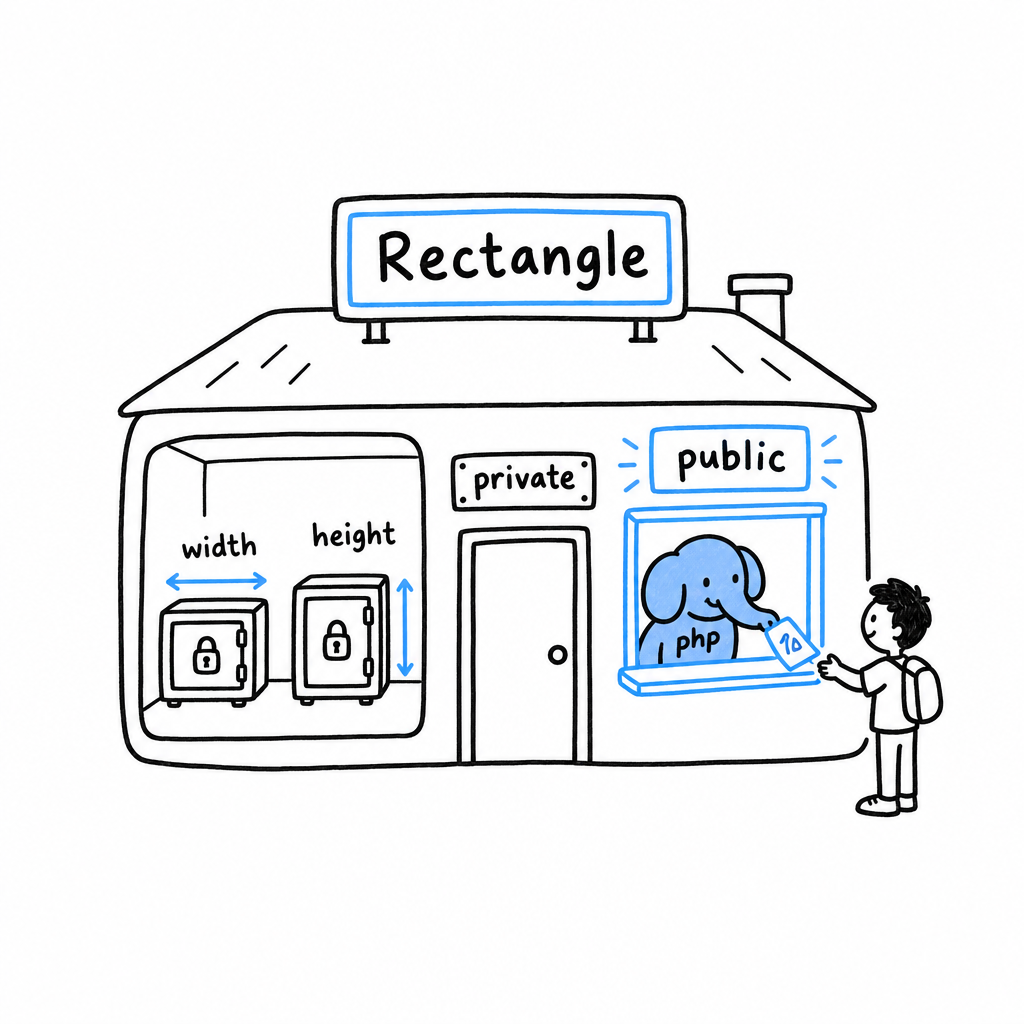
This is a restriction on purpose, not a bug to route around. Once $width is private, the only way the outside world can learn or change it is through methods Rectangle chooses to offer. Rectangle therefore decides what a valid width looks like, instead of trusting every caller to behave. Try it: add public function width(): float { return $this->width; } to the class and call $rect->width(). The value is readable again, on the class’s terms.
protected sits in between: hidden from the outside, visible to any class that later extends this one. The distinction matters once inheritance arrives in Chapter 17.
Tip
Default to
private. Make a propertypubliconly when you have a specific reason, and give outside code a method when it genuinely needs access.