Installing Global Tools with Composer
Not everything you install with Composer belongs to a project. A static analyzer like PHPStan or a formatter like PHP-CS-Fixer is a tool you carry with you, to run against whatever project you happen to be standing in. Composer has a separate command for tools like these.
require --dev vs. global require
You already know require-dev: a dependency needed only while developing, like PHPUnit, listed in the project’s composer.json and installed into its vendor/ folder:
$ composer require --dev phpunit/phpunit
That is the right call for anything the tests or the build depend on. Everyone who clones the repository and runs composer install gets the same version, and that reproducibility matters. It is the wrong call for a tool you like to run everywhere, regardless of what a project declares. Ten projects, ten copies of PHPStan in ten vendor/ folders, at ten possibly different versions: a lot of duplication for something that belongs to none of them.
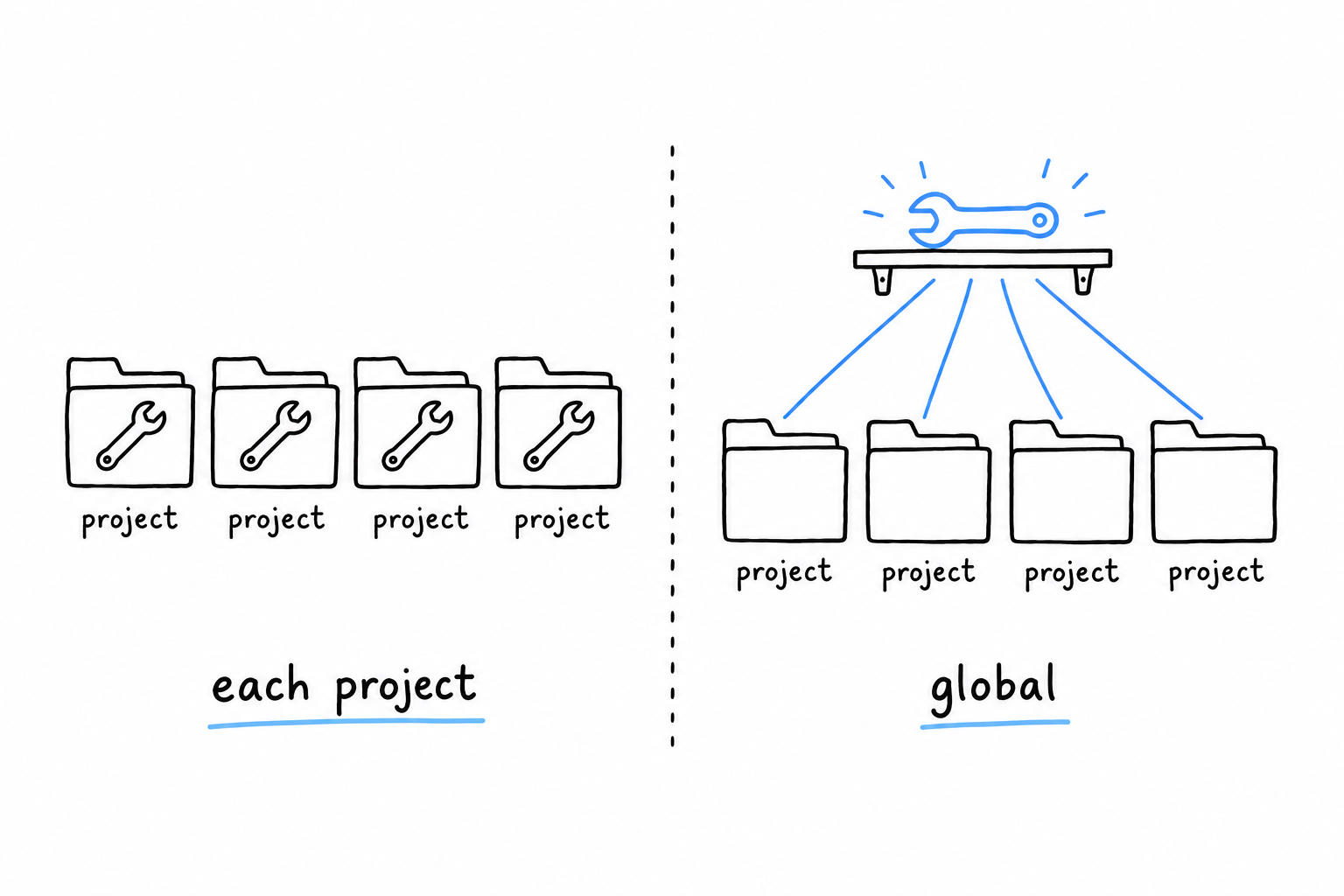
composer global require installs it once:
$ composer global require phpstan/phpstan
PHPStan lands in a global Composer directory, apart from any project: ~/.config/composer on Linux, ~/.composer on macOS by default, and the exact path is worth checking with composer global config home. From then on there is one shared install, whatever directory you are standing in.
Getting it on your PATH
Installing globally does not, by itself, make phpstan a command your shell knows. The binary sits in a vendor/bin folder inside that global directory, and your shell only looks in the folders listed in PATH:
$ export PATH="$HOME/.composer/vendor/bin:$PATH"
Put that line in your shell’s startup file (~/.zshrc, ~/.bashrc, or the equivalent) so every new terminal gets it, then check:
$ phpstan --version
PHPStan - PHP Static Analysis Tool 1.11.5
If the command is not found, the PATH line is almost always the culprit. It is missing, it points at the wrong directory for your platform, or you edited the startup file and never reloaded it (source ~/.zshrc, or open a new terminal).
Choosing between the two
A tool that must run identically for everyone, CI included, at a version pinned in version control, belongs in require-dev. A personal tool you run across every project, and that may drift a version away from a teammate’s copy without anyone minding, belongs in composer global require. Many setups use both: PHPStan pinned per project so CI is reproducible, and PHP-CS-Fixer installed globally for a quick format while editing.