Reading a File
phpgrep parses its arguments and searches nothing. Time to give it a file. Create one right next to phpgrep.php:
$ cat fruits.txt
Apple pie recipe
apple sauce for the win
Banana bread is better
cherry clafoutis
Four lines, two of them about apples, one with a capital letter and one without. That detail is deliberate, and it comes back later.
Reading the whole file into lines
PHP’s file() function reads a file straight into an array, one element per line, exactly the shape a line-by-line search needs:
<?php

$lines = file($options->filename, FILE_IGNORE_NEW_LINES);
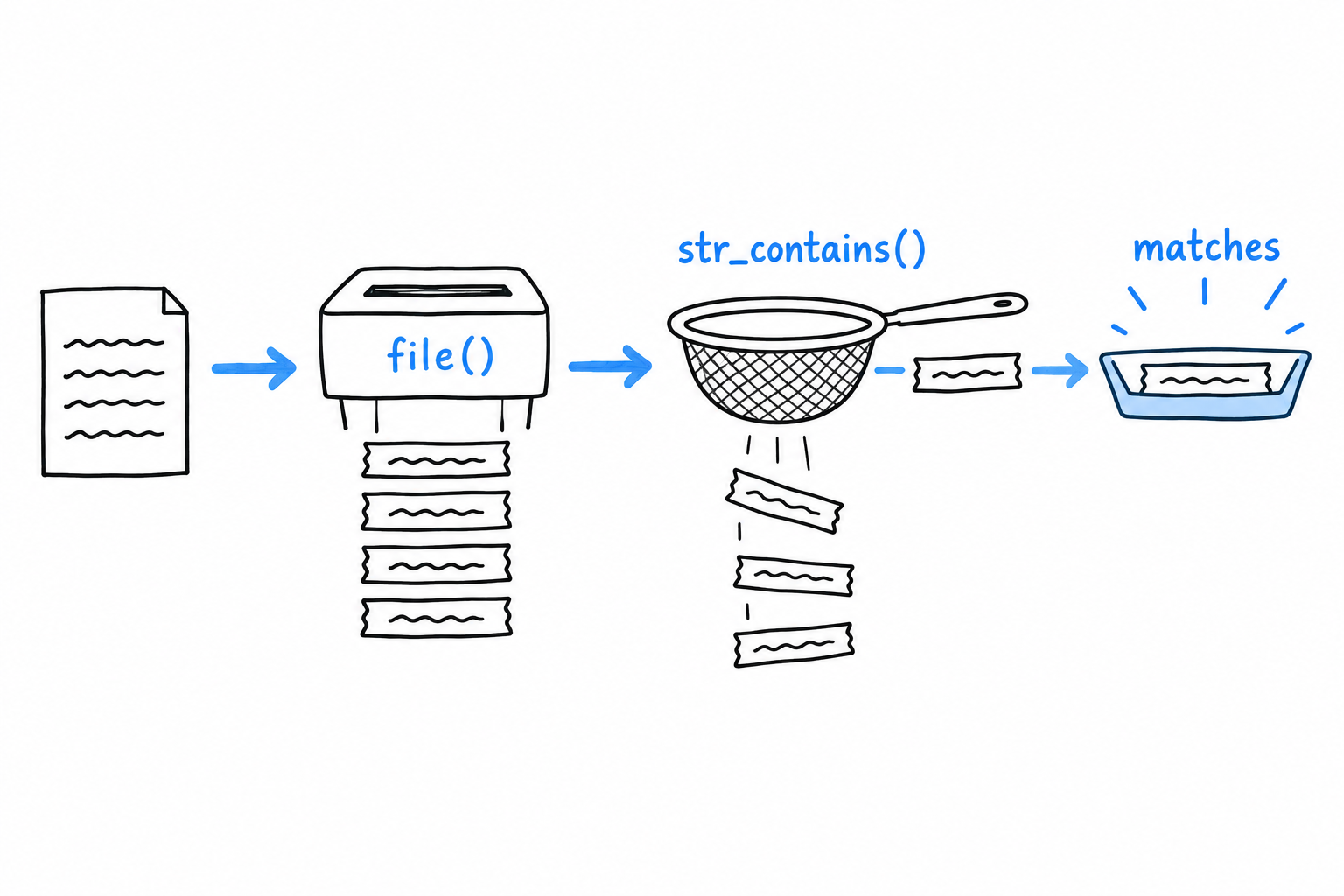
The FILE_IGNORE_NEW_LINES flag strips the trailing \n from each line as it reads, which saves a trim() on every single one afterward. You could get the same result with file_get_contents() followed by explode("\n", ...), and you will see that pair often in real code, particularly when the raw contents are needed for something else too. For a tool that thinks in lines, file() is the direct match.
Searching each line
With the lines in hand, str_contains() does the matching. It arrived in PHP 8, after years of everyone hand-rolling strpos($haystack, $needle) !== false, and it reads like what it does:
<?php
declare(strict_types=1);

final class GrepOptions
{
    public function __construct(
        public readonly string $query,
        public readonly string $filename,
    ) {
    }

    public static function fromArgv(array $argv): self
    {
        return new self(
            query: $argv[1],
            filename: $argv[2],
        );
    }
}

if (count($argv) < 3) {
    echo "Usage: php phpgrep.php <query> <filename>\n";
    exit(1);
}

$options = GrepOptions::fromArgv($argv);

$lines = file($options->filename, FILE_IGNORE_NEW_LINES);

foreach ($lines as $line) {
    if (str_contains($line, $options->query)) {
        echo $line . "\n";
    }
}
$ php phpgrep.php apple fruits.txt
apple sauce for the win
Only the lowercase apple line matched. str_contains() is case-sensitive: "Apple pie recipe" does not contain the substring "apple", capital A and all. Keep that fixture and that behavior in mind. Two sections from now, they become the exact test case for case-insensitive matching.
The file that isn’t there
Point phpgrep at a file that does not exist:
$ php phpgrep.php apple missing.txt

Warning: file(missing.txt): Failed to open stream: No such file or directory in phpgrep.php on line 20
A warning, and then nothing. file() returns false when it cannot open its target, our foreach treats that false like an empty array, and the program ends with no matches and no explanation. The tool looks like it ran and found nothing, when it never read anything at all. That is the worst kind of failure, the quiet kind.
Let’s patch it with the bluntest tool available, a check before the read:
<?php

if (!file_exists($options->filename)) {
    echo "Error: file \"{$options->filename}\" not found.\n";
    exit(1);
}

$lines = file($options->filename, FILE_IGNORE_NEW_LINES);
$ php phpgrep.php apple missing.txt
Error: file "missing.txt" not found.
Better, because at least it is honest. But look at what the check buys, and what it does not. file_exists() only answers “is there something at this path”. It says nothing about whether you can read it: a file that exists with its permissions locked down passes this check and then fails at file() exactly as before, warning and all. And every place in this program that will ever open a file would need the same check pasted in front of it, with every copy a chance to forget one.

A clumsy, incomplete guard, standing in for something PHP has a proper mechanism for. Time to reach for it.