Storing UTF-8 Encoded Text with Strings
Ask PHP how long the word café is, and it answers five.
You met strings in Hello, World! and used interpolation in the guessing game without much ceremony. What we skipped, reasonably, is the part that eventually bites everyone who works with PHP strings. A PHP string is not made of characters. It is made of bytes. Most of the time the difference is invisible, right up until it isn’t.
Quotes, briefly revisited
You will use both kinds constantly, so here is the rule once more. Single quotes are as literal as PHP gets: no interpolation, no escape sequences beyond \' and \\. Double quotes replace variables with their values and understand sequences like \n and \t:
<?php

declare(strict_types=1);

$name = 'Damien';

echo 'Hello, $name\n';   // Hello, $name\n  (literal, no processing)
echo "Hello, $name\n";   // Hello, Damien  (interpolated, newline applied)
Reach for single quotes when there is nothing to interpolate. It is marginally faster, since PHP does not scan the text for $ or \, but the real benefit is for the next reader: single quotes say “nothing clever happening here.”
Bytes versus characters
Here is the fact that matters. PHP’s classic string functions (strlen(), strtoupper(), substr() and their relatives) work on bytes, full stop. That was a fine assumption in an ASCII world, where one byte is one character. It falls apart the moment your text isn’t ASCII, and in UTF-8, which is what essentially all modern PHP produces, that moment comes fast:
<?php

declare(strict_types=1);

$name = 'café';

echo strlen($name) . "\n";     // 5, not 4!
echo mb_strlen($name) . "\n";  // 4, correct
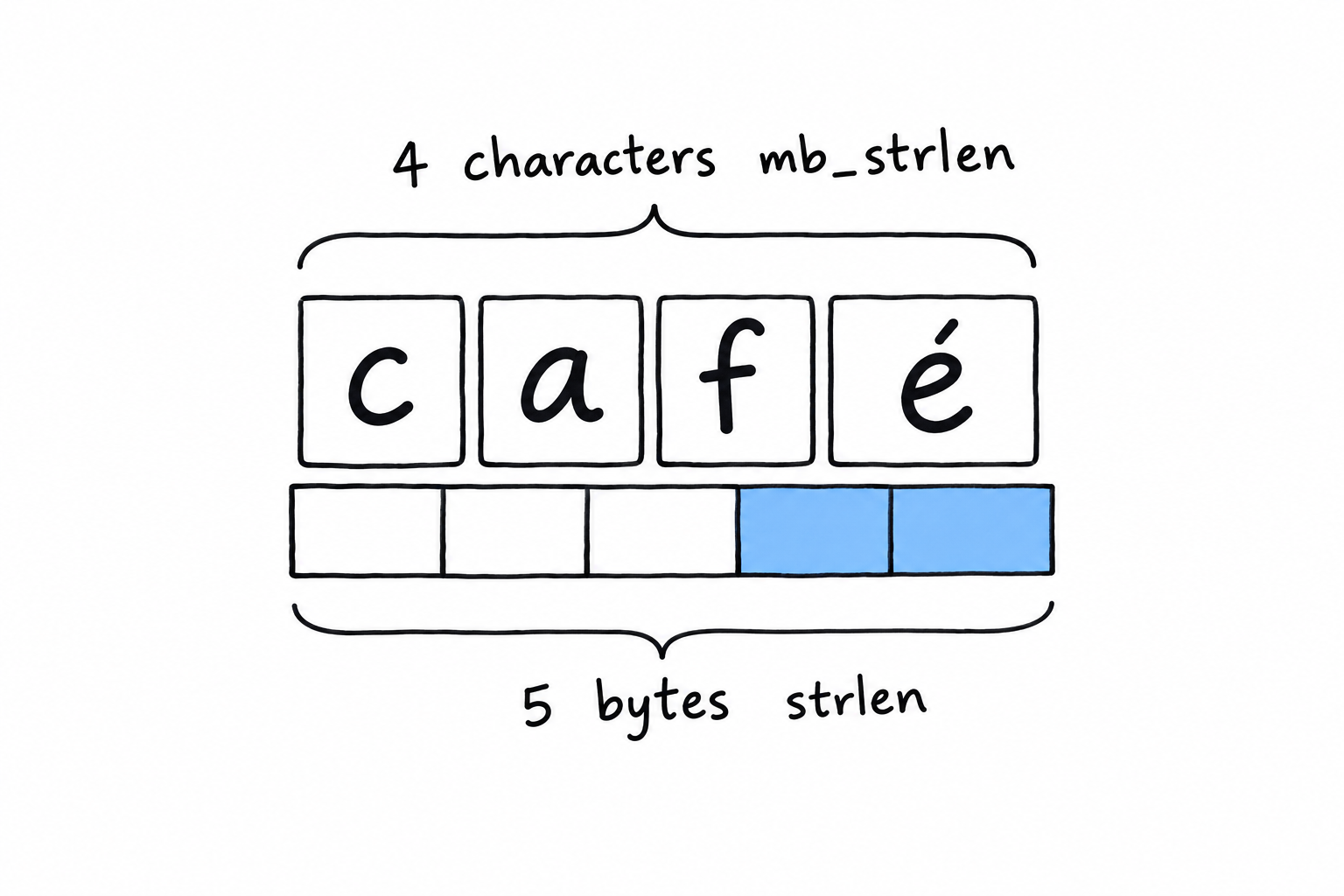
café has four characters, but UTF-8 stores the é in two bytes, so strlen(), which counts bytes, says five. It isn’t wrong, exactly. It answers a question you didn’t mean to ask. mb_strlen() (mb stands for multibyte) understands UTF-8 and counts characters, which is what you meant.
Try it: replace café with a single emoji. strlen() says four, mb_strlen() says one.
The practical rule fits in a sentence. If a string could ever contain something a user typed (a name, a comment, a search term), use the mb_ variant. strlen() is still right for genuinely byte-oriented work: the size of a file’s contents, or a string you built yourself out of known ASCII. When in doubt, mb_strlen() costs you nothing, and it saves you from a bug that only shows up for some of your users, usually the ones with accented names. That is the embarrassing kind.
Warning
strlen()counts bytes.mb_strlen()counts characters. For anything a human typed, you want characters.
Everyday string functions
A handful of functions cover the bulk of real string work:
<?php

declare(strict_types=1);

$message = 'PHP is not dead, it just smells funny.';

if (str_contains($message, 'not dead')) {
    echo "Reassuring.\n";
}

$corrected = str_replace('not dead', 'thriving', $message);
echo $corrected . "\n";

$excerpt = substr($message, 0, 12);
echo $excerpt . "...\n"; // PHP is not d...

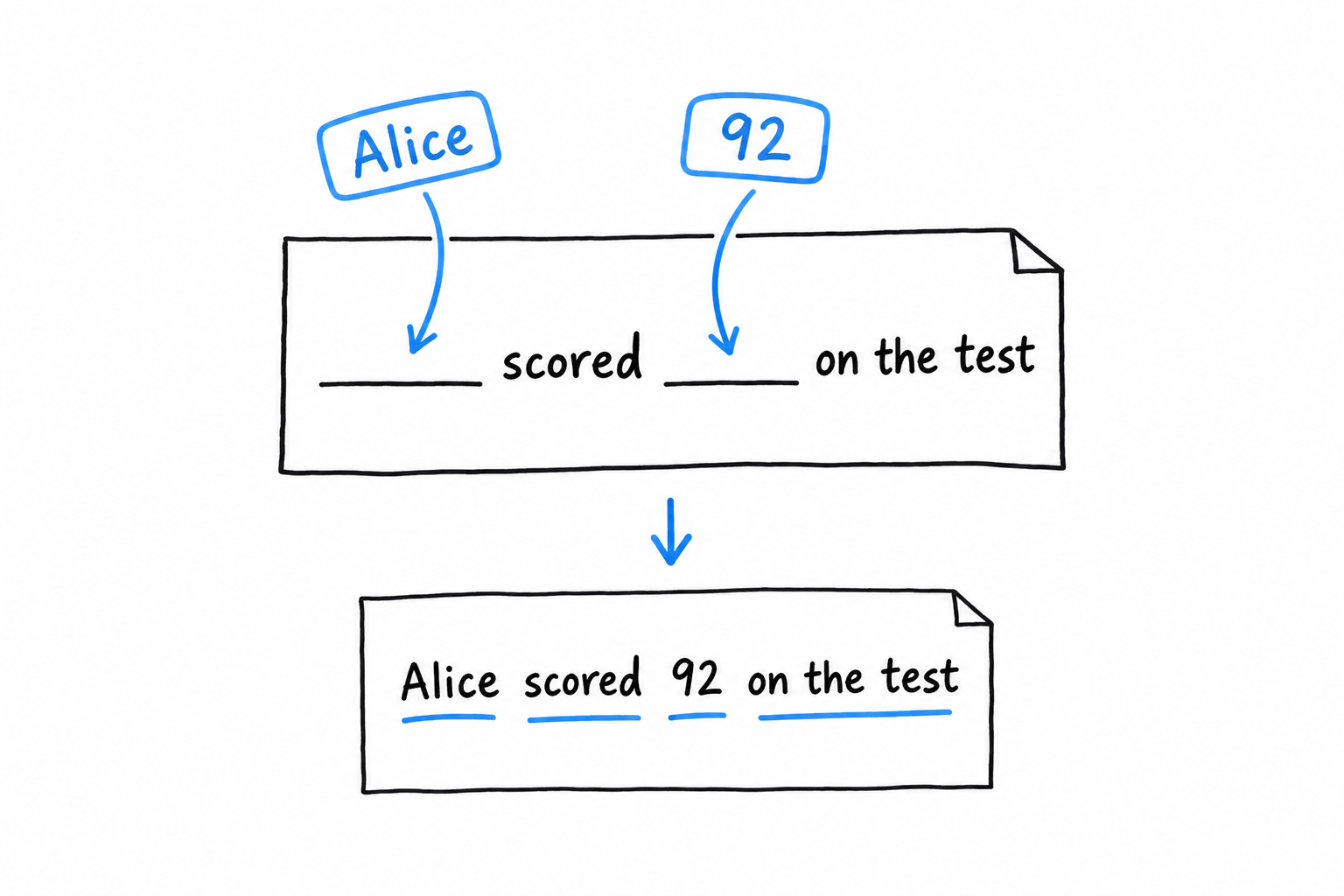
$formatted = sprintf('%s scored %d%% on the test.', 'Alice', 92);
echo $formatted . "\n"; // Alice scored 92% on the test.
str_contains() (PHP 8.0 and later) asks whether one string appears inside another and returns a plain boolean. It replaced the old strpos($haystack, $needle) !== false idiom you will still meet in older code, with its special-case false waiting to trip you. str_replace() swaps every occurrence of a substring. substr() cuts out a portion by start position and length, and like strlen() it has an mb_substr() twin that counts characters, under the same rule as above.
sprintf() builds a string from a template and a list of values. Past one or two values, it reads far better than a chain of concatenations, and it gives you control that interpolation doesn’t: %d%% above forces 92 to be treated as an integer, then prints a literal %. printf() is the same thing minus the “return a string” part: it prints directly.
Interpolation, one more time
You know the basics from Chapter 2. The full form is worth having on hand. {$expr} inside double quotes accepts more than a bare variable: array access, property access, method calls, anything that resolves to a value:
<?php

declare(strict_types=1);

$user = ['name' => 'Alice', 'age' => 30];

echo "{$user['name']} is {$user['age']} years old.\n";
Without the braces, "$user['name']" doesn’t do what you’d expect: PHP would stop parsing the variable name at $user and print the rest literally. The braces remove the ambiguity, so make them your default the moment an interpolation is more than a single bare $variable.